

Automatic tracker for the Dusklight Randomizer, with a live map of where Link is. Everything updates live from the game — no clicking.
How to use
Install the mod (it needs the Dusklight Randomizer), start the game, and open http://127.0.0.1:38100/ in a browser — or add it to OBS as a Browser Source.
On first start the mod reads your game files for the map once (a bar on the page shows the progress).
Features
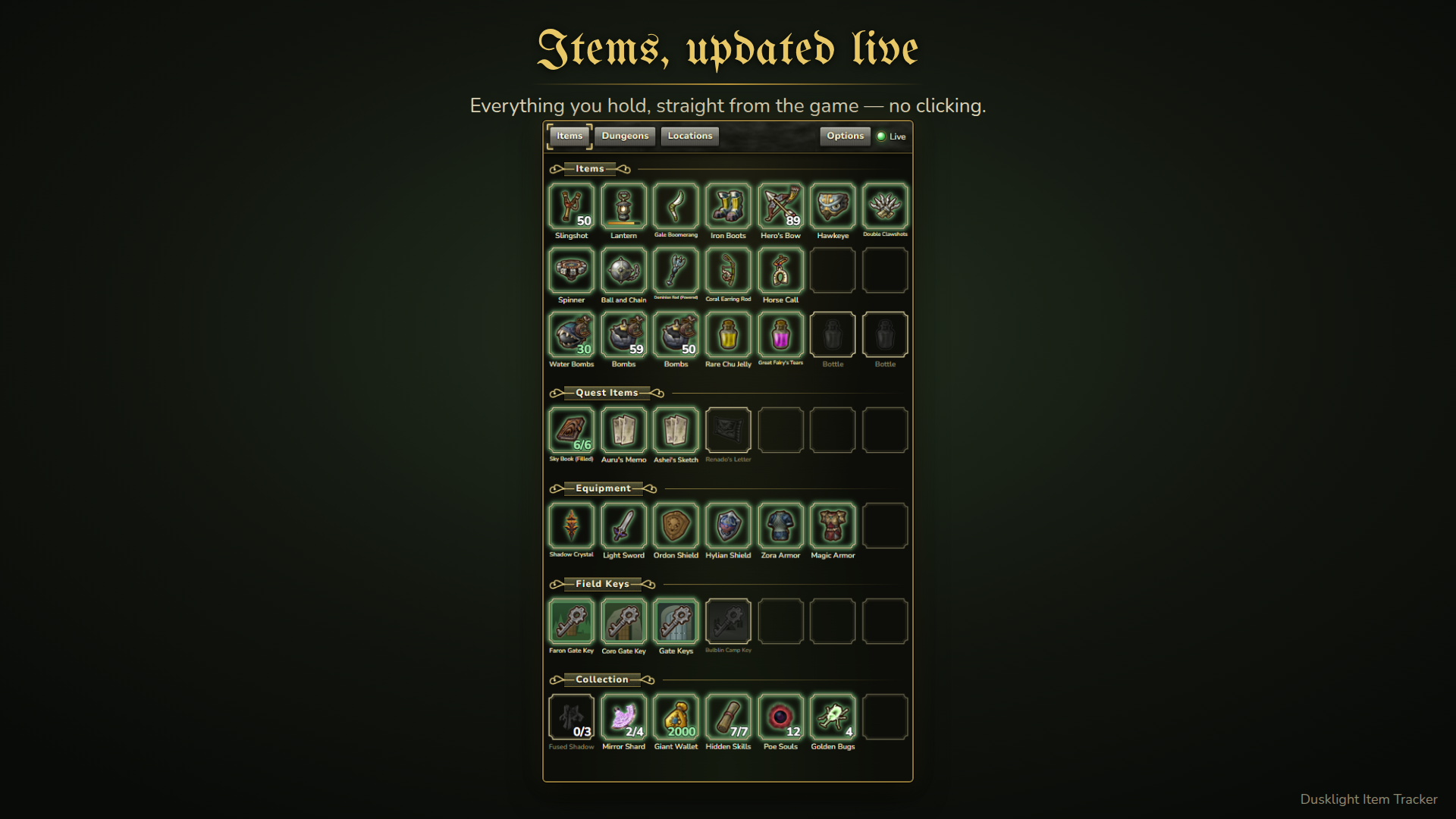
- Items: inventory, ammo, oil, wallet, bottles, keys, sky characters, hidden skills, poe souls, Fused Shadows, Mirror Shards and golden bugs (with Agitha's mark).
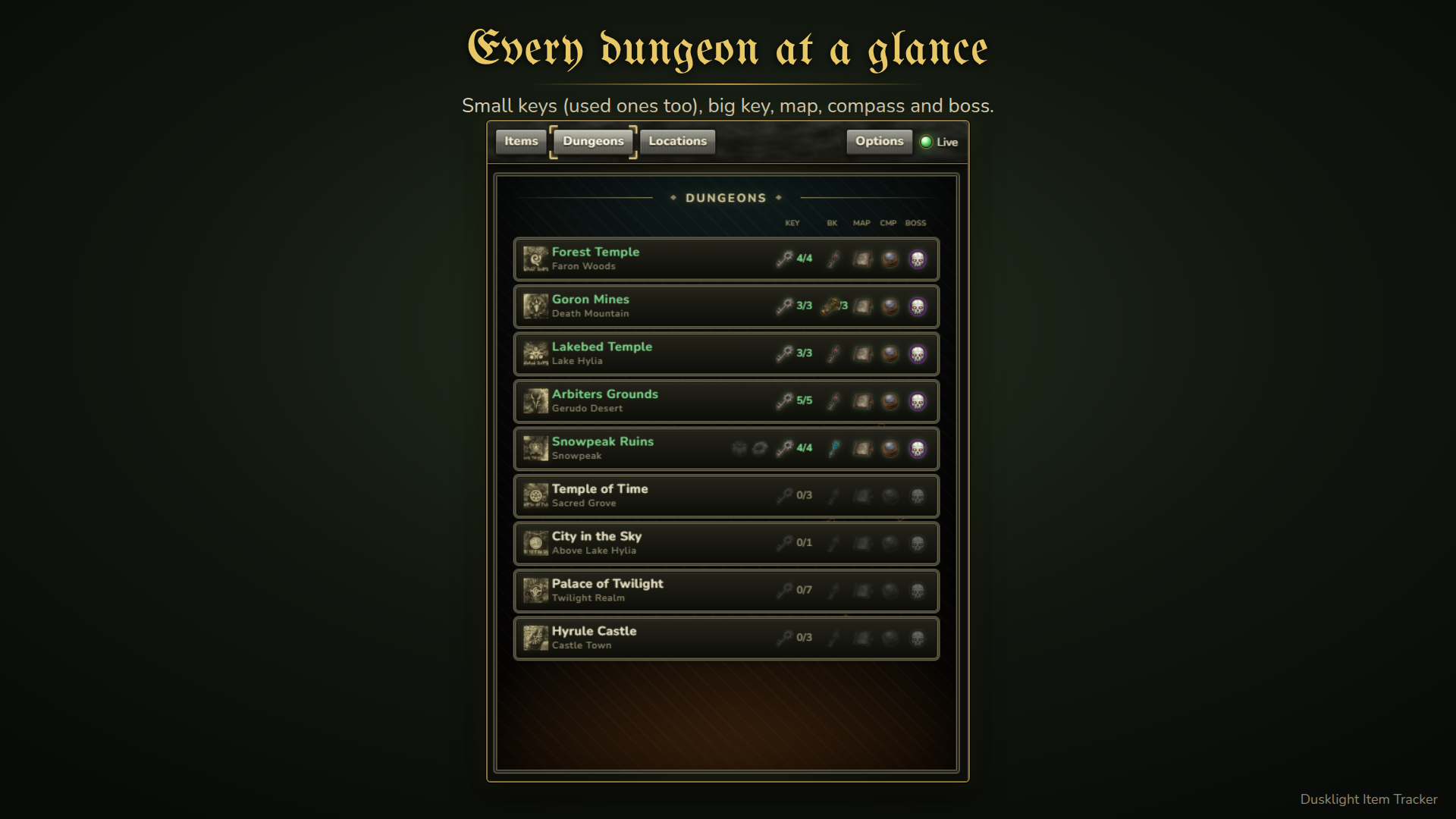
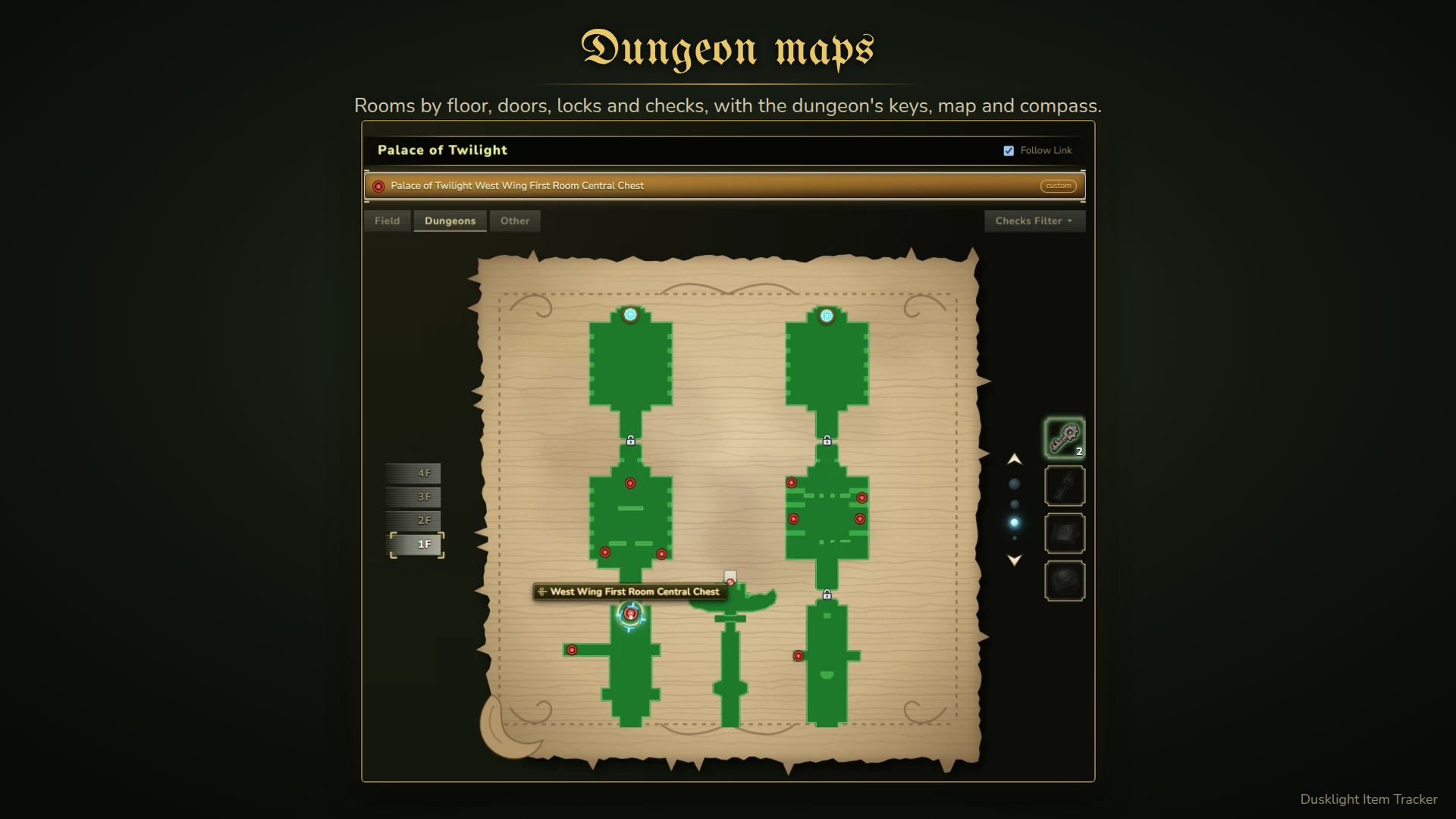
- Dungeons: small keys, big key (or key shards), map, compass and boss for every dungeon, on twilight plates with each dungeon's emblem. Click a dungeon to open its map.
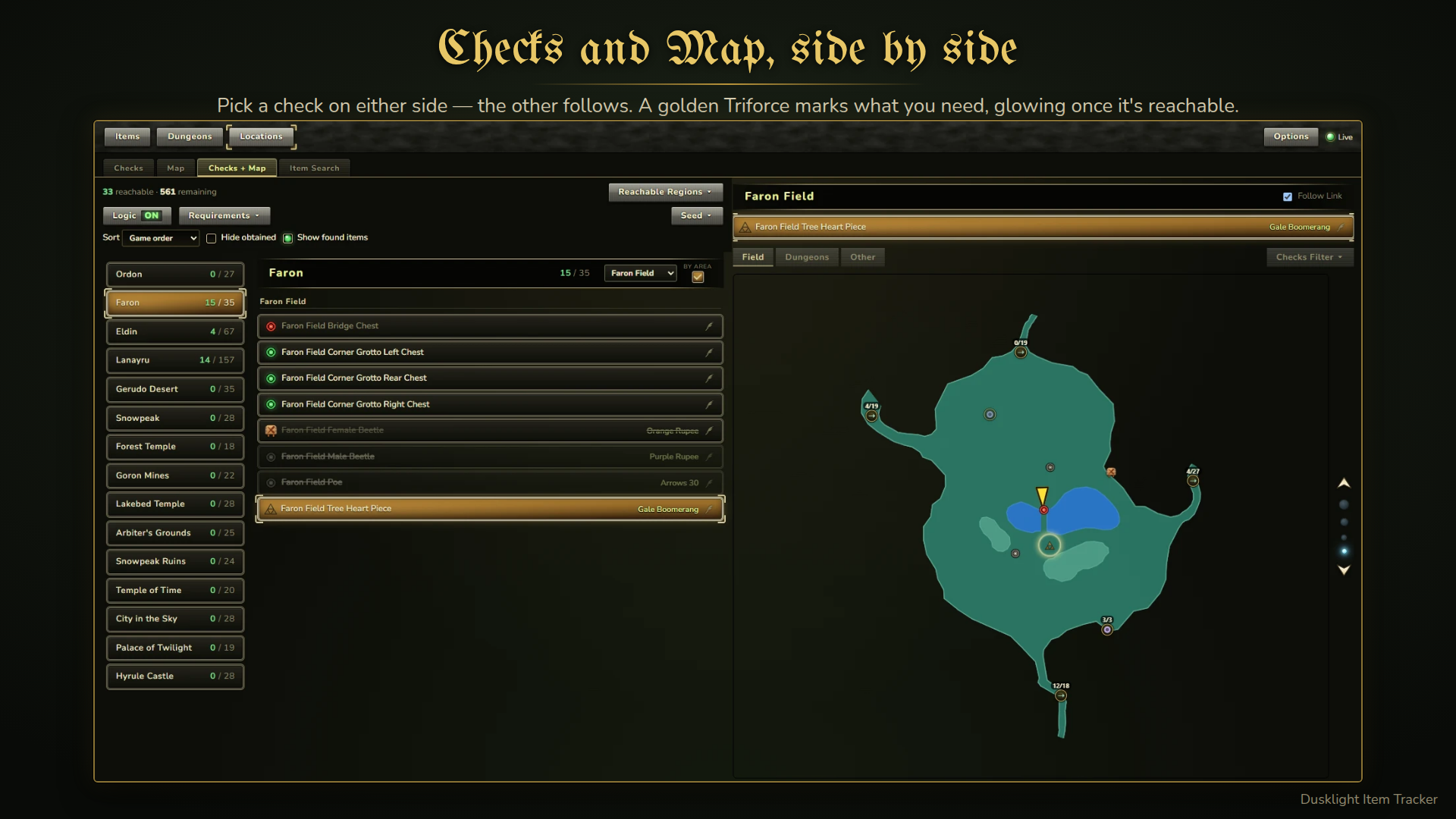
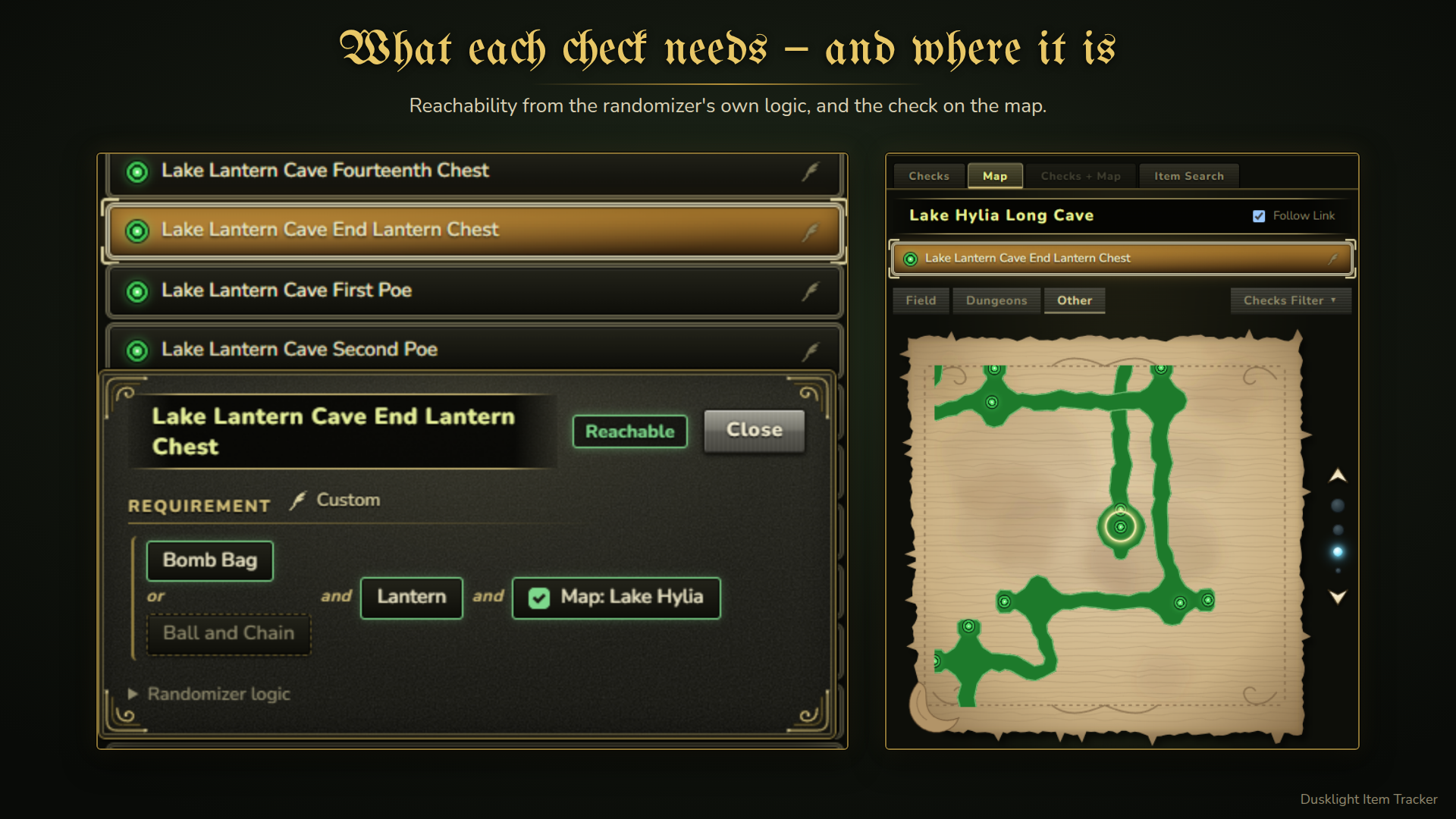
- Locations: every randomized check by region, with reachability from the randomizer's own logic and your seed's settings. Group by area and filter by region.
- Map (new in 1.2.0): the map of where Link is, drawn from your own game data, following him between rooms and floors.
- Every check on it, including people, golden wolves, shops and events.
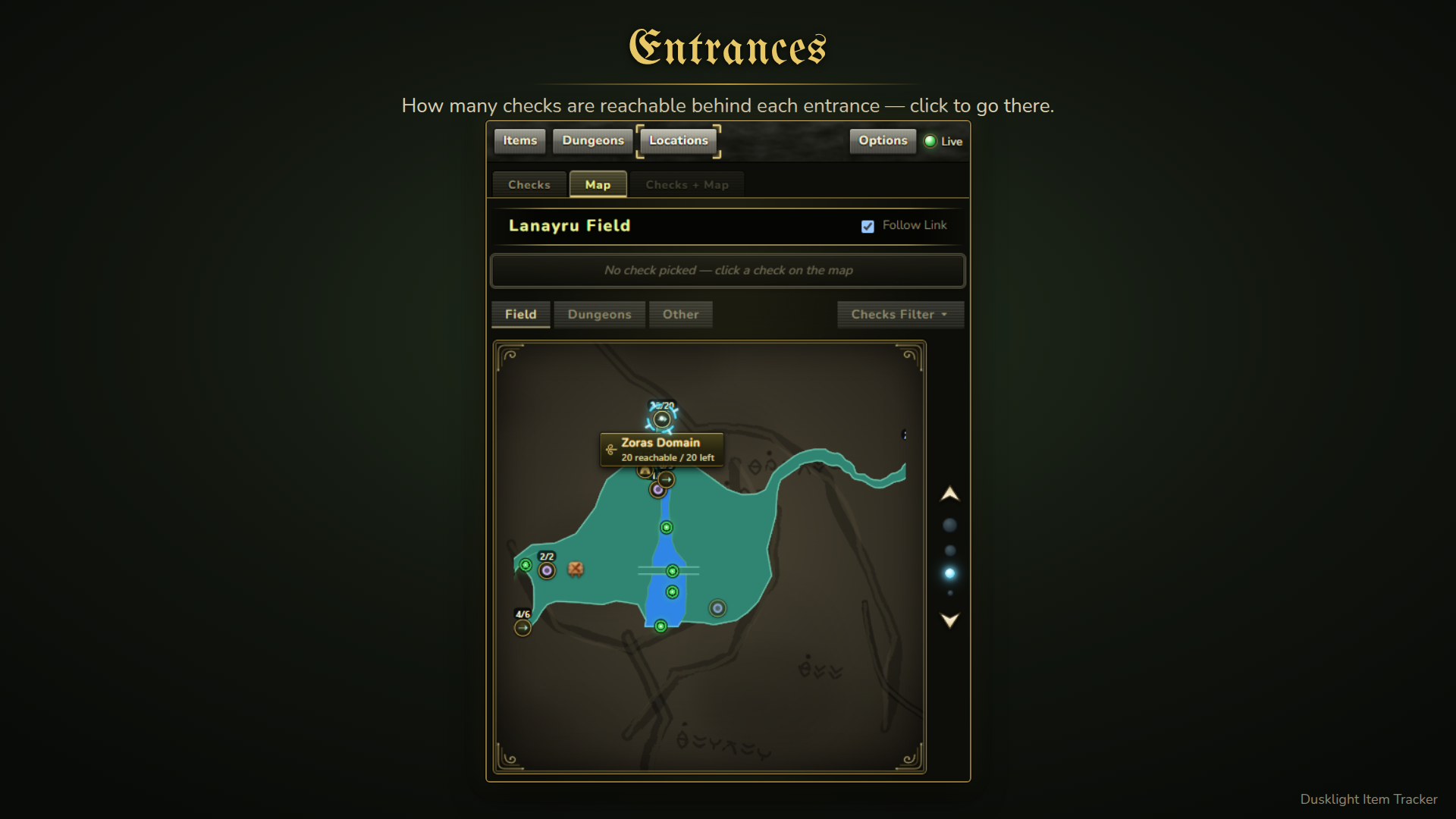
- Every entrance, with how many checks are reachable behind it; click to jump to that place's map.
- Dungeon doors, locks and barred doors, updated as you play.
- Zoom out to the province and all of Hyrule; open any dungeon, house, cave or grotto.
- Checks + Map side by side: the region and check picked on one side are shown on the other.
- Custom logic: write your own requirements per check (Advanced display). A preset for 575 checks is included (Requirements > Load Preset Custom Requirements).
- Found items (optional, off by default): shows what a check holds once you have seen it — in a hint, nearby, or in a shop — using your seed's spoiler log.
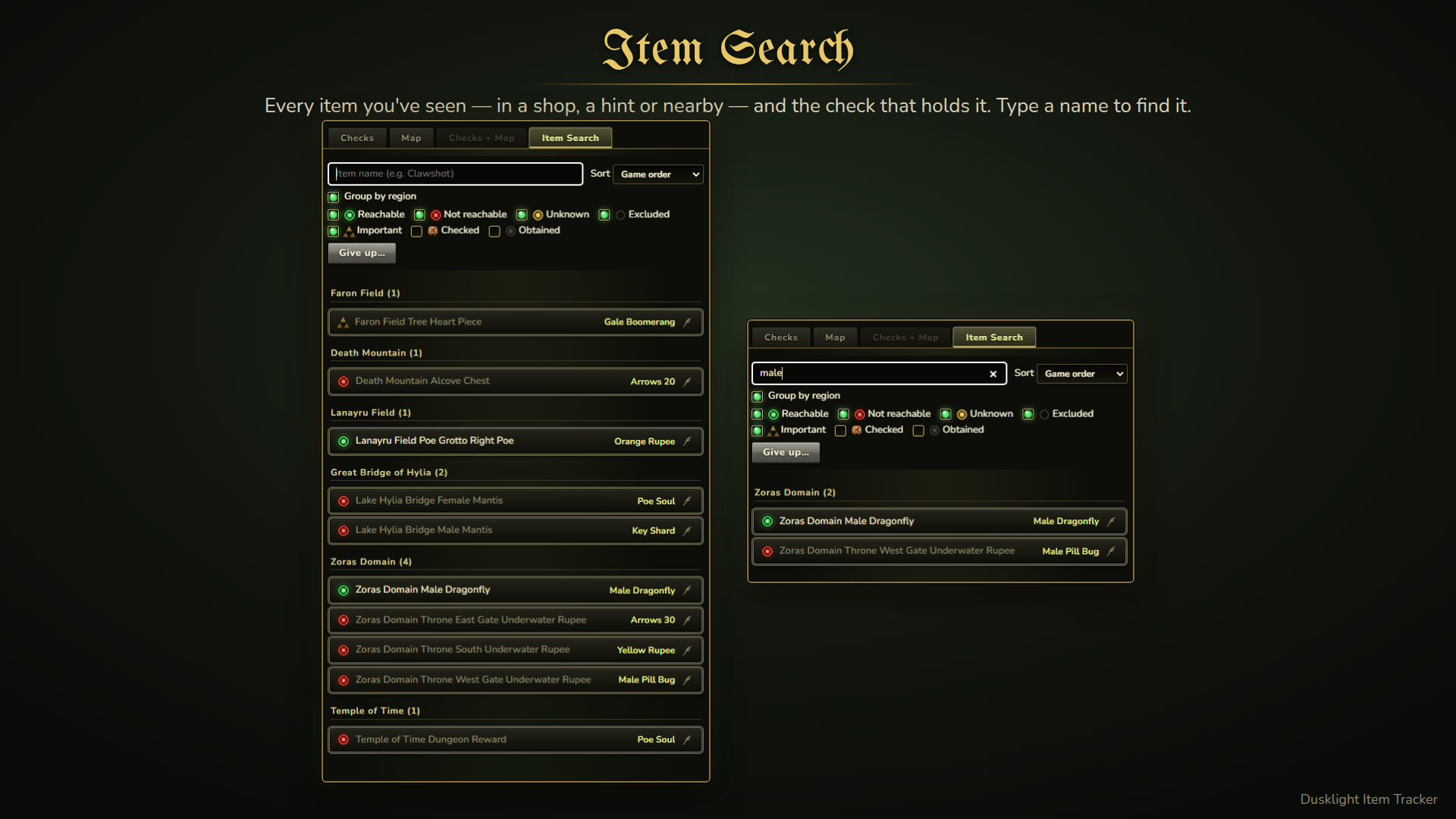
- Item Search (new in 1.3.0): type an item's name to find which found check holds it, in any province; filter by status and group by region. Stuck? Give up… shows every item of the seed (it asks first).
- Important checks (new in 1.3.0): right-click a check's marker to mark an item you need but cannot take yet — a golden Triforce, glowing once it is reachable, in the list and on the map.
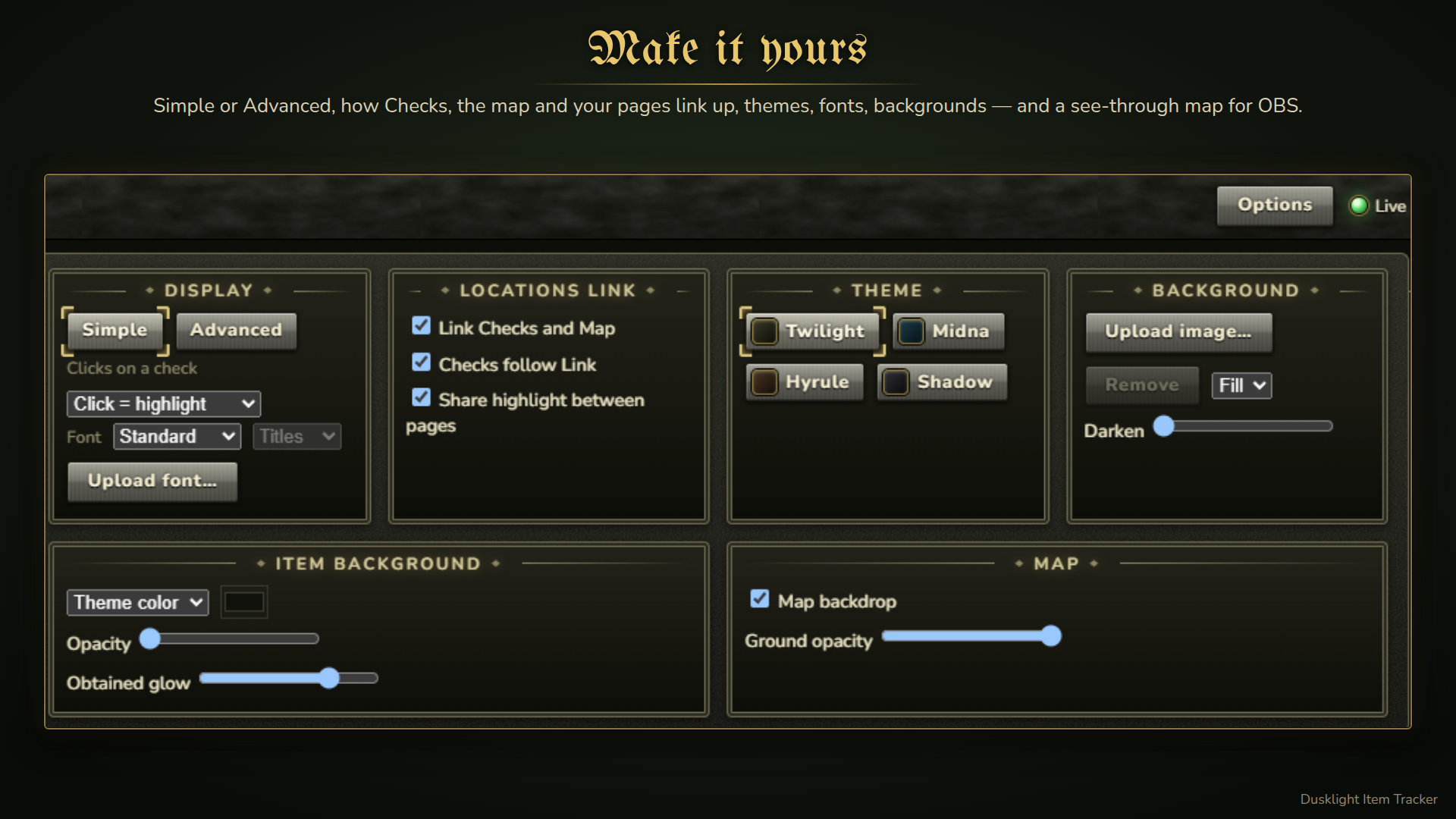
- OBS overlay (new in 1.2.2): turn off the map's backdrop and make its ground see-through (Options > Map), then add
?transparent=1to the address to lay the map over the game. With Share highlight between pages (Options > Locations Link), a check you highlight in your browser is highlighted on the OBS source too. - Twilight Princess style UI: 4 themes, custom backgrounds, item background color and glow, fonts (or your own), editable layout and icons.
- Locations Link (Options): link Checks and the map, let Checks follow Link's region, and share the highlighted check between pages.
- Simple / Advanced display (Options): Simple shows the main things; Advanced adds writing your own requirements and the map's details.
Controls
- Click a check: show its requirement. Right-click: highlight it. (Swap the two in Options > Clicks on a check.)
- Double-click a check: jump between the check list and the map.
- Click the marker on a check's left: check it off (sold-out sign). Right-click it: mark it Important (golden Triforce).
- On the map: click to zoom in, right-click to zoom out, drag to move. Click an entrance to open the place it leads to.
- Right-click an icon: change it (game texture or your own image).
- Right-click a region: highlight it.
Notes
- Game icons are read from your own game files at runtime; no game assets are included.
- On first start the mod downloads the randomizer's logic data from its GitHub repository.
- Updating: your settings, layout, custom requirements and found items are kept. To use the updated preset requirements, press Requirements > Load Preset Custom Requirements. To write your own requirements, switch to Advanced in Options.
- Made with the help of AI tools (Claude) for code and UI art.
Screenshots
Dependencies
v2.0.0+
Changelog
1.3.0: New — Important checks (right-click a check's marker: golden Triforce), Item Search (find which check holds an item; Give up… shows all), Options › Locations Link with Checks follow Link. Fixed found items for the Ordon Shield/Sword, golden wolves and dropped rewards, grotto regions, Pumpkin/Cheese in Snowpeak, and the list jumping up when marking a check.
1.2.2: Fixed a crash after Beast Ganon (into the horseback fight). New: OBS overlay — map without backdrop and see-through ground (Options › Map), and highlights shared between pages. More checks and entrances on the map; 67 preset requirements revised (press Load Preset to use them).