

A collection of gameplay enhancements, new game modes, visual upgrades and quality-of-life features for The Legend of Zelda: Twilight Princess on the Dusklight engine.
Every feature can be turned on or off in the in-game menu. Settings are searchable, can be exported and imported, and come with presets. Available in English, German, French, Spanish and Italian.
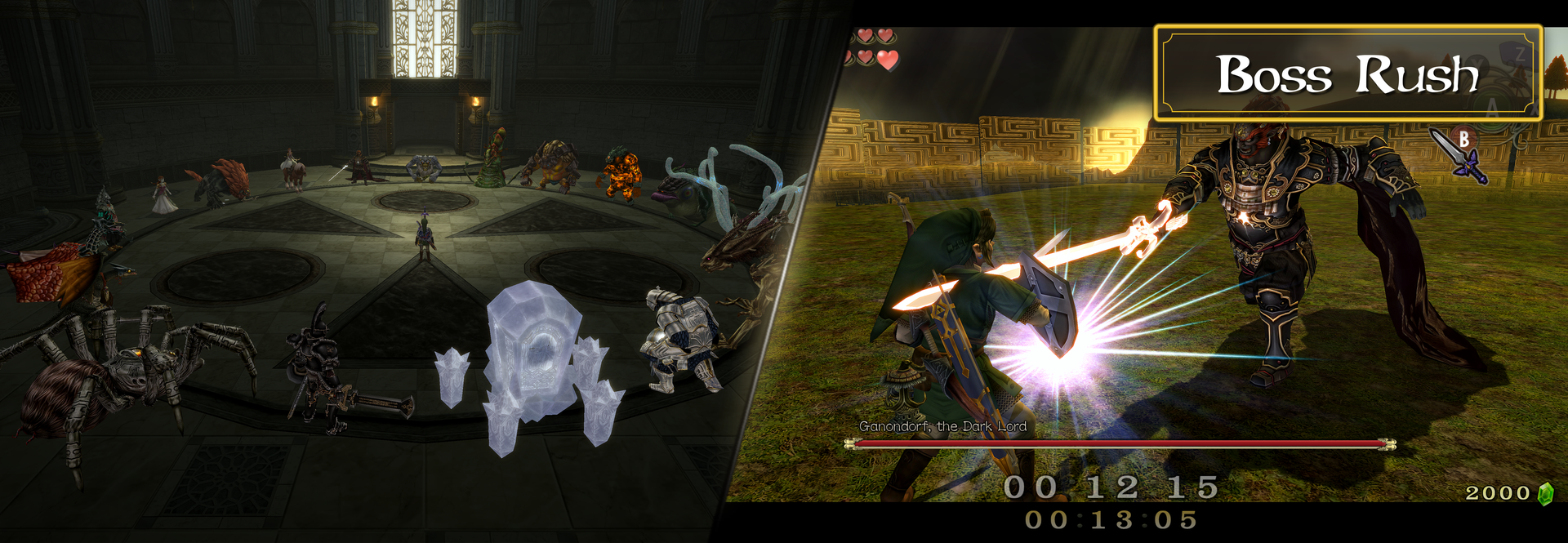
Boss Rush
- Fight every boss in the game on demand, directly as a game mode on the title screen.
- Intro and phase cutscenes are skipped, and you return to the boss gallery automatically.
- Master Rush — fight every boss in a row. Hearts carry over, with a configurable retry mode.
- Rulesets — play casual, or use a locked ranked ruleset for fair speedruns.
- Online Leaderboard & Replays — upload your times, compare them with other players and watch replays of the best runs.
- Cave of Ordeals — a timed run through the Cave of Ordeals.
- Multiplayer — fight bosses together with your friends, or against each other in PvP.
- Note: you can reach every boss this way, even ones you have not met in the story yet. Spoilers ahead!
Dungeon Rush
- Play through the game's dungeons from a central hub, with a timer and splits.
Graphics
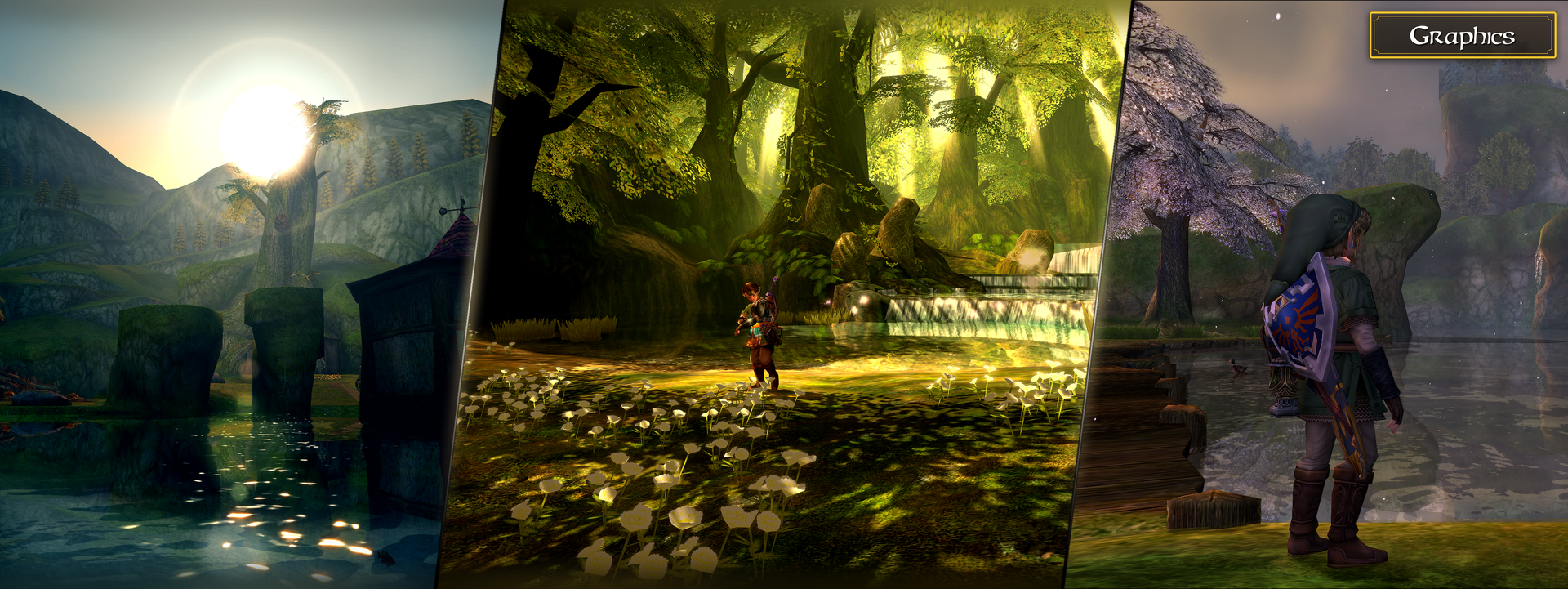
- Wind — grass, flowers, trees and cloth move in the wind.
- Realistic Water — reflections, refraction and an underwater effect at the waterline.
- Dynamic Shadows — real-time shadows from the sun and from light sources like the Lantern, with quality presets.
- Clouds — volumetric clouds with cloud shadows and light rays.
Photo Mode
- Freeze the game and move the camera freely.
- Change the time of day and the weather, and add depth of field, filters and frames.
- Record smooth camera tracks with waypoints and save screenshots.
Combat
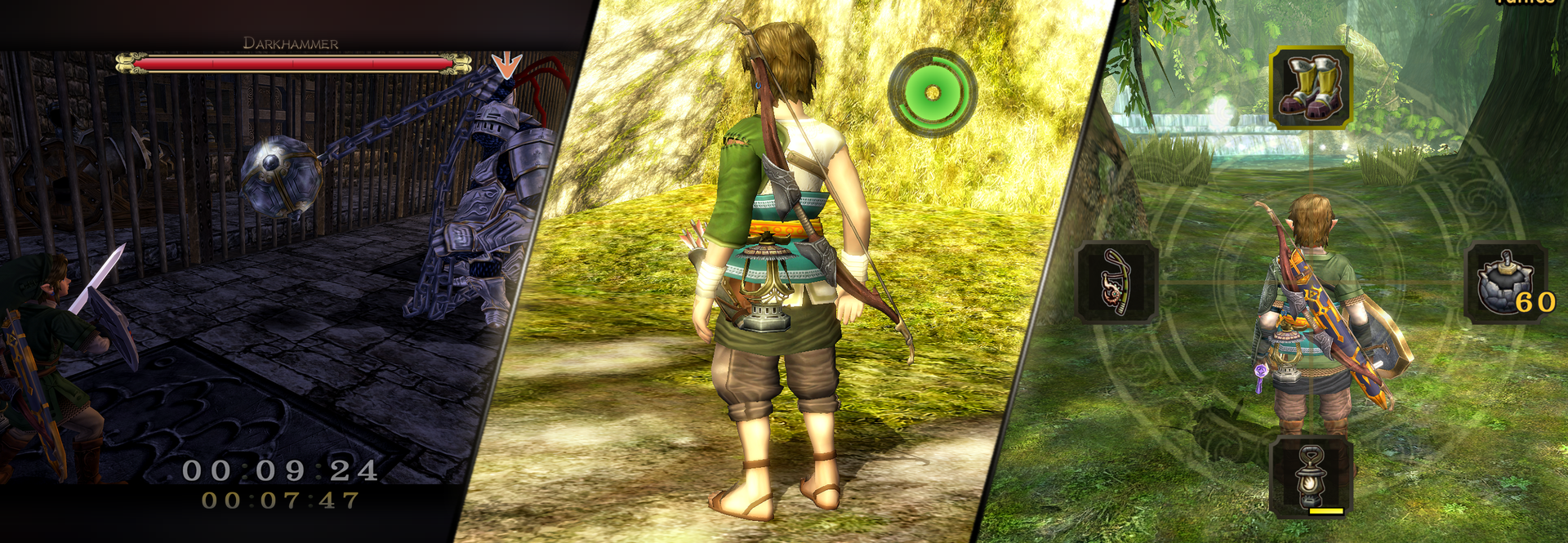
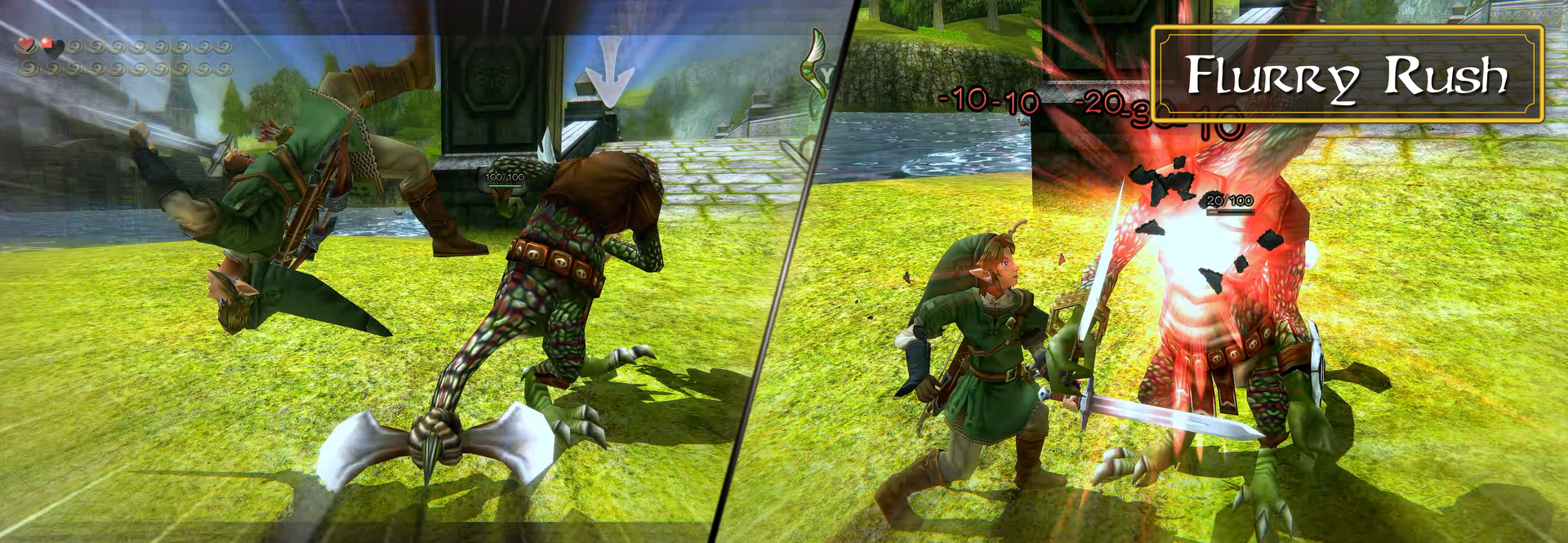
- Enemy & Boss Health Bars — health bars above enemies with damage numbers, plus a big boss bar with the boss's name. Several styles to choose from.
- Flurry Rush — dodge an attack with perfect timing to slow down time and strike back, like in Breath of the Wild. Learnable as a new hidden skill.
- Bullet Time — aim the bow in mid-air to slow down time.
- Third-Person Aim — aim the bow, slingshot, clawshot and boomerang over Link's shoulder.
- Quick Draw & Sheathed Spin Attack — attack directly from a sheathed sword.
Movement
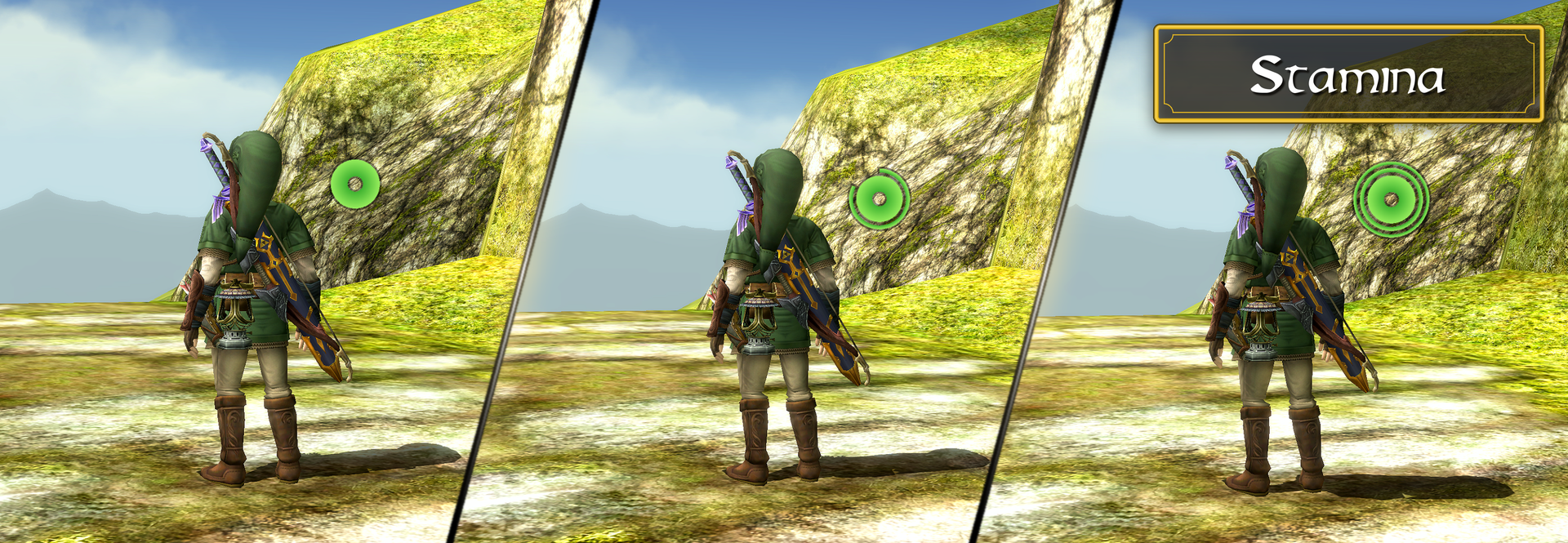
Stamina System — a stamina meter for attacks, rolls, climbing and swimming, with human, wolf and swim sprint. Shown as a classic bar or as a Breath of the Wild wheel.
Modern Zora Swimming — swim with the stick, with bursts and rolls.
Auto Zora Armor — equips the Zora Armor automatically when you enter water.
Manual Jump — jump on a button press.
Epona Tweaks — sprint, auto-gallop, unlimited spurs and adjustable speed.
Link & Equipment
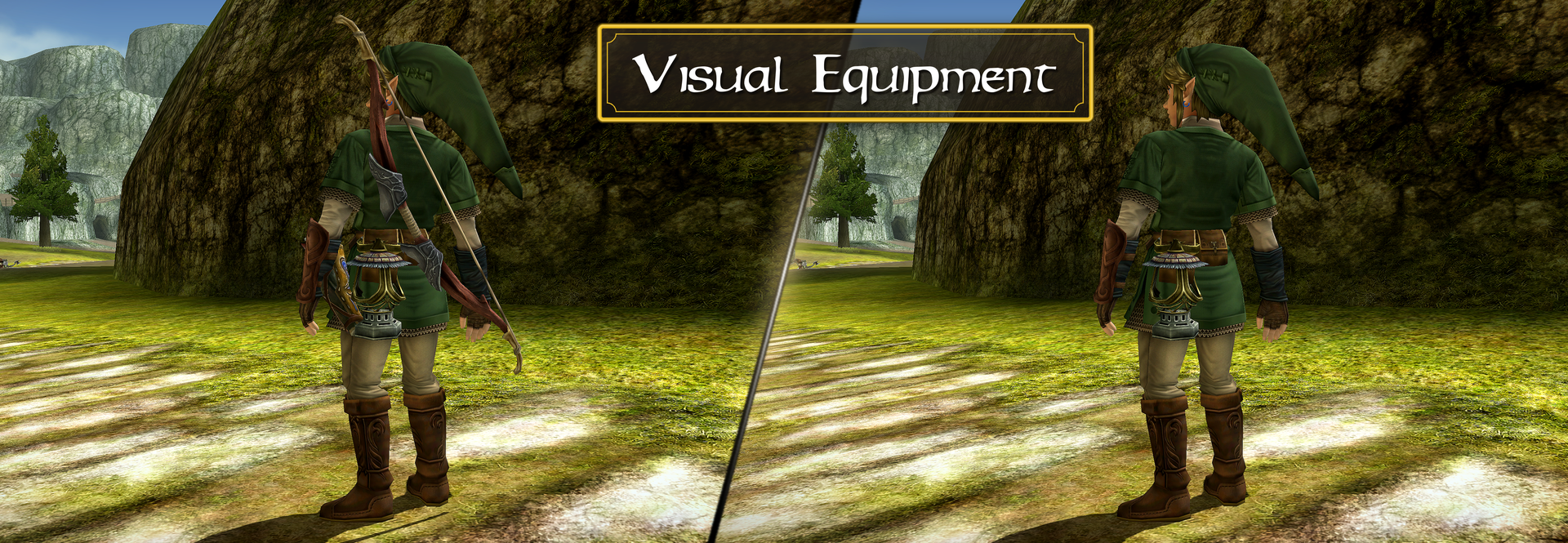
- Visible Equipment — shows the Bow, Quiver with arrows, Lantern, Bottles, Keys and more on Link.
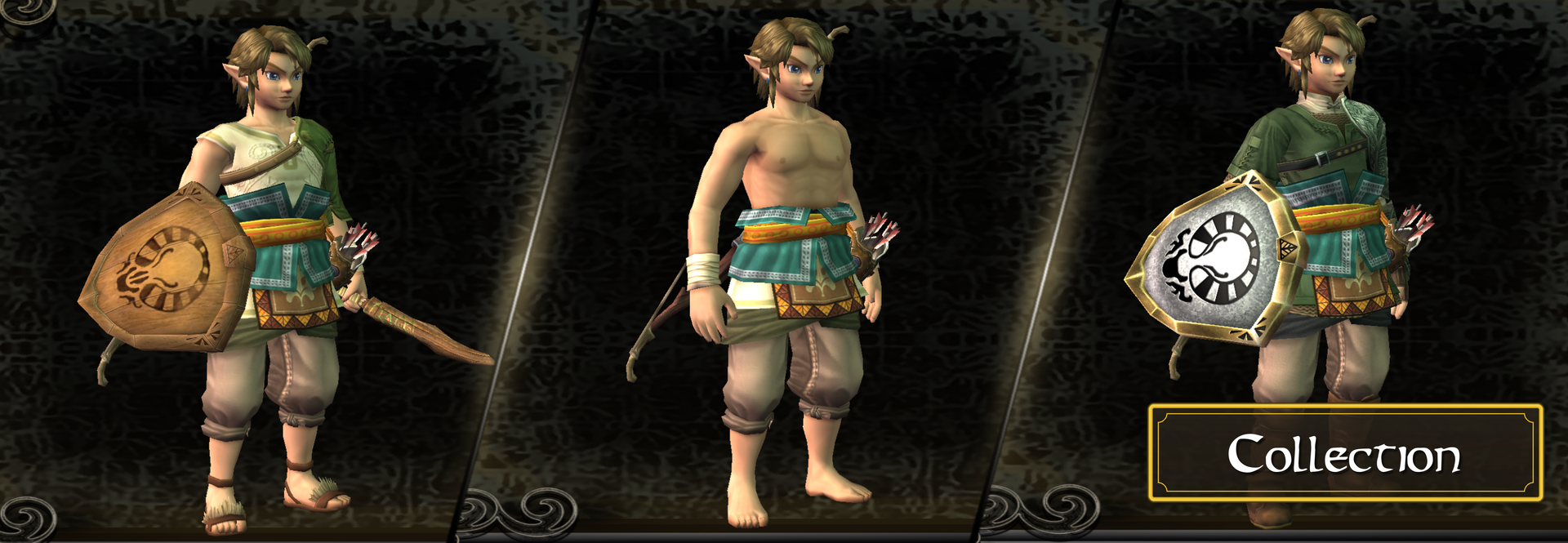
- New Outfits & Cosmetics — new tunics like the Yeti Tunic and the Ordon Hero outfit, plus recolorable outfits with HD texture support.
Menus & HUD
- Advanced Collection — a fully redesigned pause menu with tabs for Equipment, Items, Collection, Expansions and Settings, plus a new save and load screen.
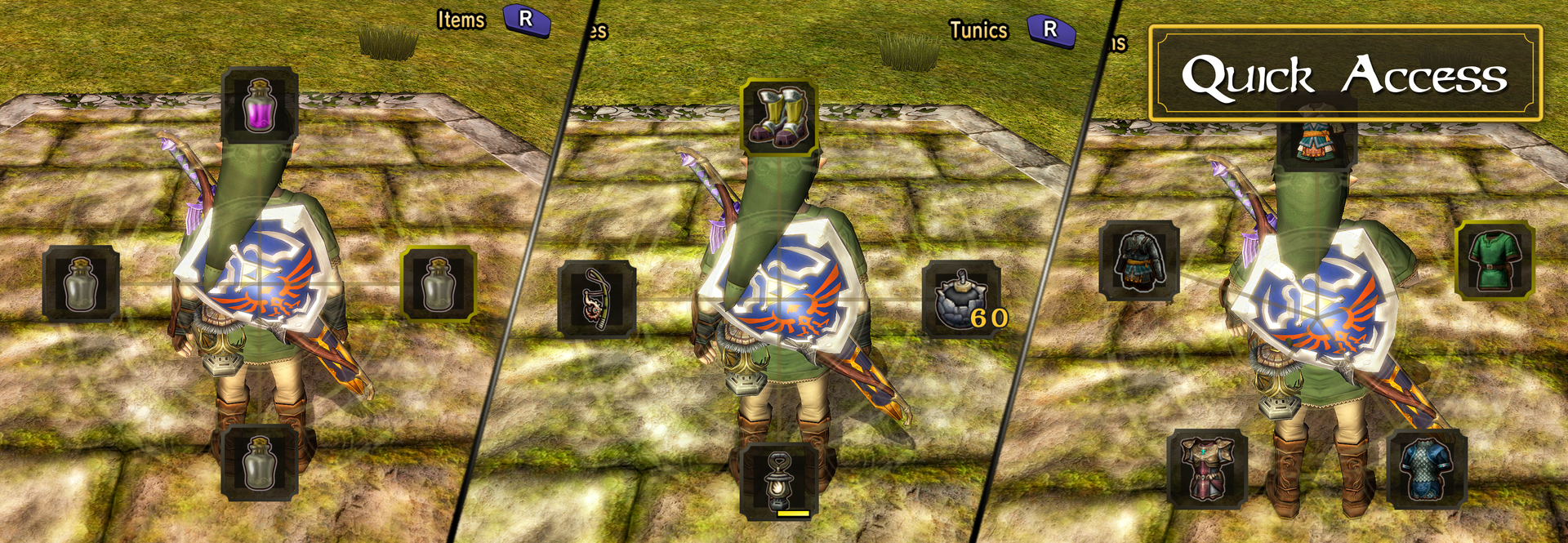
- Quick Access — use items and bottles instantly from a radial menu or an item bar.
- Custom Z Button — a third item slot on Z. Midna's call moves to its own button.
- Map Markers — place markers and stamps on the map. They appear on the minimap, on a compass and as light beams in the world.
- Button Glyphs — Xbox, PlayStation and Switch button prompts.
Controls
- Remap the mod's buttons and swap the face buttons (A, B, X, Y) freely.
Quality of Life
- Skip or fast-forward cutscenes, faster scene transitions, warp as human, HUD auto-fade, no enemy combat music, and more.
Compatibility
- Works with TP HD HUD, Olivia's Extra Buttons, TP Classic Buttons, Lazy Tweaks and Fire Arrows.
- Compatible with the Randomizer.
Credits
- The Ordon Hero models are included with kind permission from SkilarBabcock. Thank you!
- Thank you Owlero for providing the Yeti Tunic textures!
- Thanks to the testers Noaseto, Kamilink, Jerry and Woodiertexas.
AI Disclaimer
This mod is not "vibe coded". The vast majority of the code — the architecture, every feature and its implementation — was written by myself. I know where everything lives in this codebase, I know what the code does, and every feature that ships has been understood, tested and refined by me.
AI tools were used only as a research aid in a few places: gathering background information about the game engine faster than manual digging would have allowed. The two biggest examples are the third item slot and the custom Collection screen slots, where I was stuck for multiple days before getting help on the research side. The actual implementation was and is my own work.
Unlike the code, the texts (like this description) were written with AI assistance.
Screenshots
Dependencies
v2.0.0-alpha.2+
Changelog
added: Toggle to hide the yeti tunic
added: Custom face buttons can now work in menus as well
added: Restrictions to dungeon rush (hidden skills, rupees)
added: Added the ability to show the Items screen when pressing dpad up
added: Boss Rush Peer-2-Peer which should reduce the lag
added: Yeti textures based on location as a new toggle for items
added: Customizable splits for dungeon rush (+ online website sync)
added: Save warp ability to dungeon rush
added: Reset and Exit buttons showing in advanced collection menu
added: Localization service
added: Presets to
changed: Default photo mode binding
changed: Multiplayer buttons in boss rush chamber
changed: French localization (thanks to @Noaseto)
fixed: Hooks not registering when entering dungeon rush after leaving boss rush
fixed: Hide crosshair in aiming mode
fixed: Bottles and Rod shows a green rupee in advanced collection menu
fixed: Memo in quick access slot 09
fixed: PvP Duel animations
fixed: Rupee Get flags not reseting in dungeon rush
fixed: Clouds appearing to slow when entering a new settings_transfer
fixed: Link drowns instantly when advanced collection menu is enabled
fixed: Wolf drowning
fixed: Randomizer start flags
fixed: Touch controls not working on mobile in collection menu
fixed: Name menu (when creating a new save) not showing up correctly
fixed: Cursor acceleration in name menu
fixed: Switching outfit to not hero tunic after leaving sewers
fixed: Moya crash when dynamic shadows is enabled
fixed: Mutliple other crashes with dynamic shadows enabled
fixed: Manual jump binding consumes all key binds
fixed: Scaling for advanced collection menu
fixed: Tracker showing an incorrect number of chests in Ordon Village area
fixed: Black background instead of blur when resizing the window
fixed: Auto save in dungeon rush
fixed: Midna pane texts not centering
fixed: Photo mode was not working in mirror mode properly
fixed: Goron grab button when using custom face buttons
fixed: Bomb arrow pvp abuse to stunlock the enemy
fixed: Frame issues when applying the zora tunic effect
fixed: Double sided water causing reflection issues and sharp lines on the edges
fixed: Fast cutscnenes were playing when in ganon duel
fixed: Rocks partialy moving cause of the wind shader
added: Compatibility with fire arrow mod
added: Keys and bootles for Visual Equipment
added: Z button shift when ornament is used
added: Veines as ornament
added: Target switch with right stick
added: Photo mode
added: Interpolation for hp bars
added: Customizable buttons
added: Epona spurt indicator
added: Collider to visual equipment
added: Collider to Link's cap
added: Bounce to bow and quiver
added: Dynamic arrows in quiver for Visual Equipment
added: Sense indicator for boss rush replays
added: Map marker position customization
added: Localization (Thank you @Noaseto for the french translation)
added: Manual Jump
added: Quick draw sword slash
added: Third person camera
added: Wooden sword damage applys to Zant and Ganon
added: Glyphs showing in mod settings
added: Shows visual equipment for other Crest of Courage player
added: HD cosmetics patch (Linkle, other tunic mods)
added: Cosmetics support for Ordon Hero, Ordon Clothes and Sumo
added: Collection tracker to map
added: Save preview in log screen (screenshot of current view)
added: Jeti Tunic (Ashei reward - thanks to @Owlero)
added: Shadows to boss rush models
added: Advanced Collection menu
added: Boss Rush Multiplayer (+ PvP)
added: Dungeon Rush (leaderboard will come later)
added: Dynamic shadows
added: Water shader
removed: Boss rush ingame portal
removed: Duplicate HUD elements in some situations
fixed: Game mode switching speed
fixed: Faster Boss rush model loading
fixed: Sword slash stamina consumption
fixed: Boss Rush NA Wii 1.0 floorskip
fixed: Boomerang cancel on diababa when used in first frame
fixed: Zora effect whiling hanging half in water
fixed: Centering issue for map markers
fixed: Vignette shows during cutscenes
fixed: Nintendo Switch input mirroring
fixed: Achievement lock in boss rush gamemode
fixed: Wrong hp bar calculation for certain enemies
fixed: Quiver interpolating while in bullet time
fixed: Glyphs in options screen
fixed: Glyph position in text boxes
fixed: Hawkeye glyph issue
fixed: Glyphs in letter
fixed: Incorrect button glyphs when changing layout
fixed: Black glyphs when entering collection menu after death
fixed: Black glyphs in item wheel texts
fixed: Map markers not updating correctly after loading a save
fixed: Equipment models clipping into Link's body
fixed: Mirrored midna panes
fixed: Visual equipment disappearing after loading a save
fixed: Combine button issues
fixed: Custom tunics applying after reset
fixed: Crash when changing game modes and using z item hud
fixed: Boss rush leaderboard controls in mirrored mode
fixed: Boss rush leaderboard inputs not showing in duslight's input viewer
fixed: Restricted mid are quick access usage while clawshoting
fixed: Hide tamper message in title screen when hovering Boss Rush
fixed: Warp as human with shallow water zora not fading out
fixed: Wind shader not applying to all leave materials
fixed: Wind shader applying wrong wind to evy
fixed: Wind shader applies to iron boots
fixed: Ordon Hero not applying after load when "Always" option if off
fixed: Death Sword replay crash
fixed: Great fairy tears yellow effect not applying on visual equipment
fixed: Turbo mode in flurry rush or bullet time
changed: Flurry Rush visuals and dodge window
changed: Increased stick threshold in quick access
changed: Quiver rotations
changed: Improved HUD scaling
changed: Faster loading transitions
changed: Pap marker visibility
changed: Mod settings layout
changed: Tutorial midna texts uses glyhps