

WARNING: UTILIZING THIS MOD WITH OTHER VISUAL/GAMEPLAY MODS MAY CAUSE BUGS/ERRORS AND IS NOT RECOMMENDED.
TPTracker is an in-game check and inventory tracker for the Dusklight 2.0 Twilight Princess Randomizer. Track your progress directly inside the game without switching to an external tracker! Features:
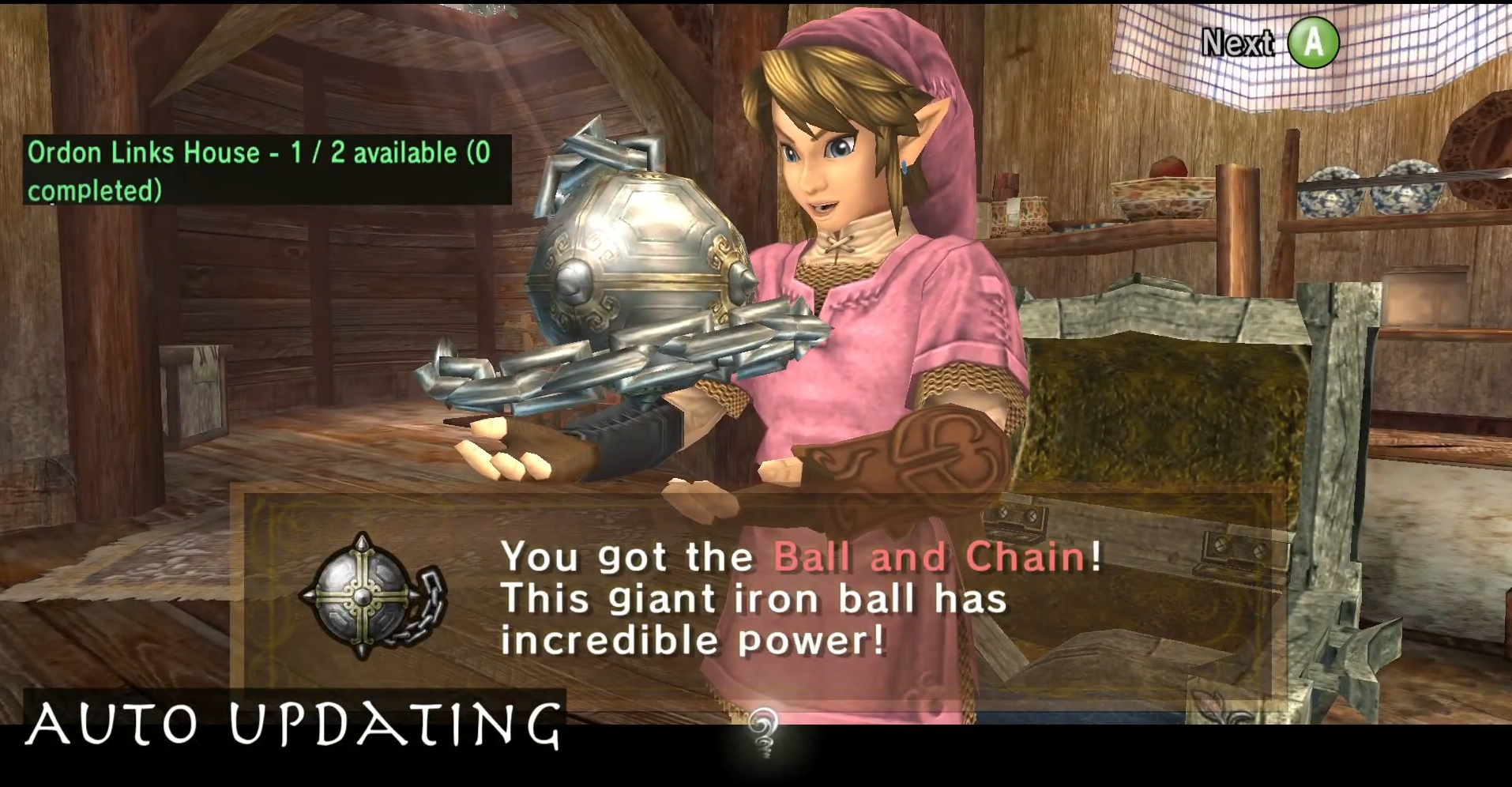
- Automatic tracking: Updates your inventory and completed checks as you play.
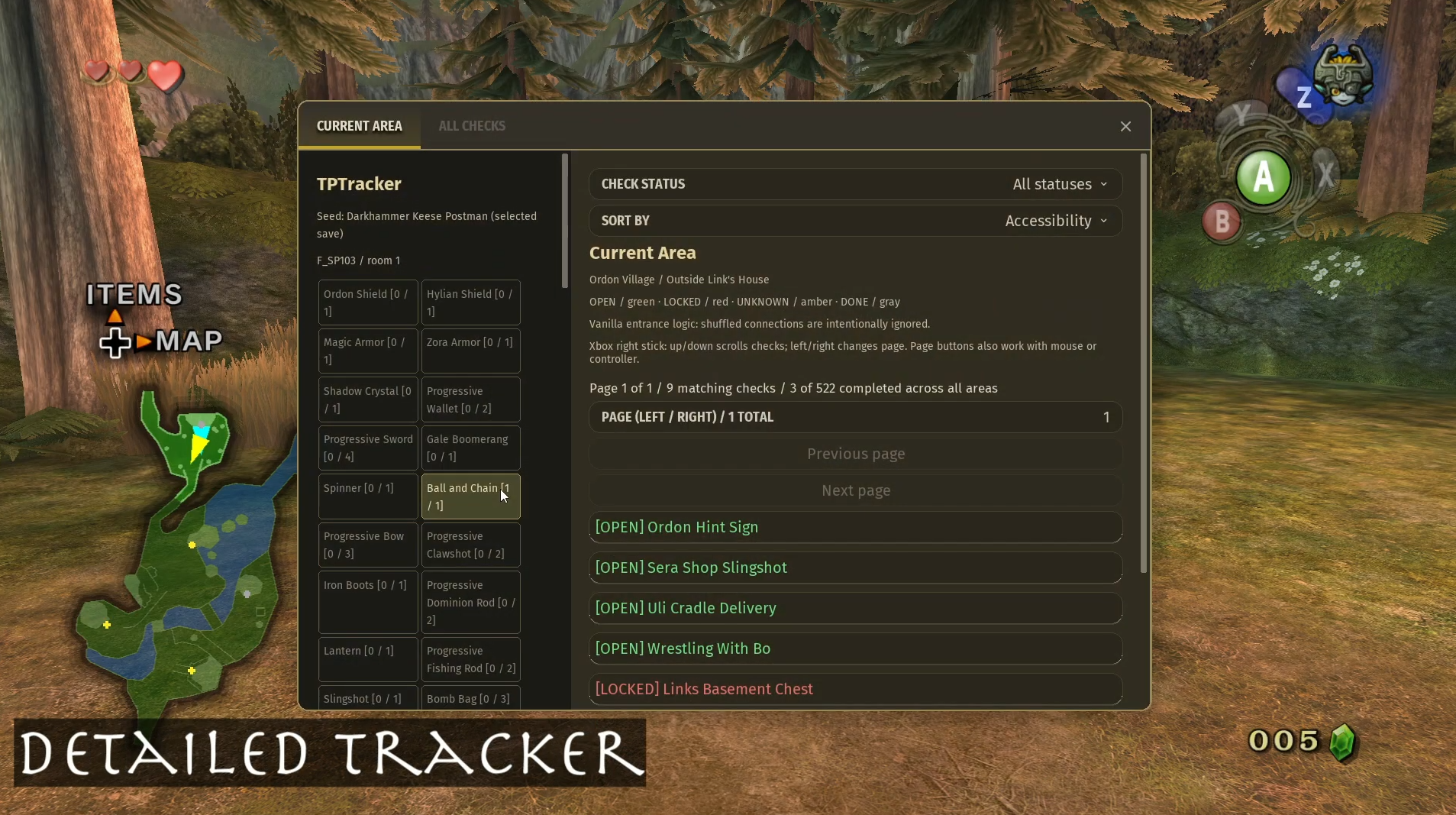
- Item-based accessibility: Shows which checks are accessible with your current items and seed settings.
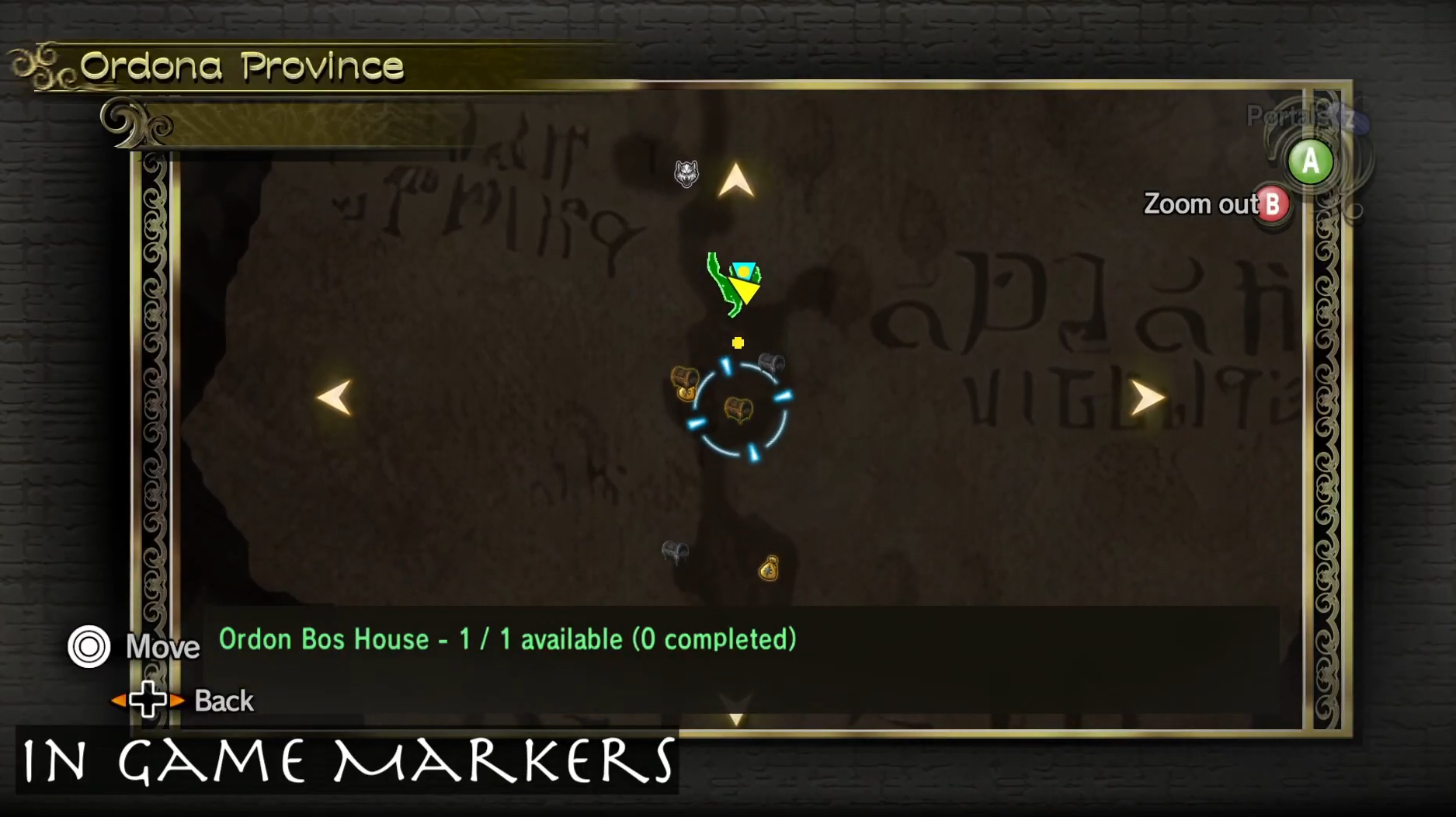
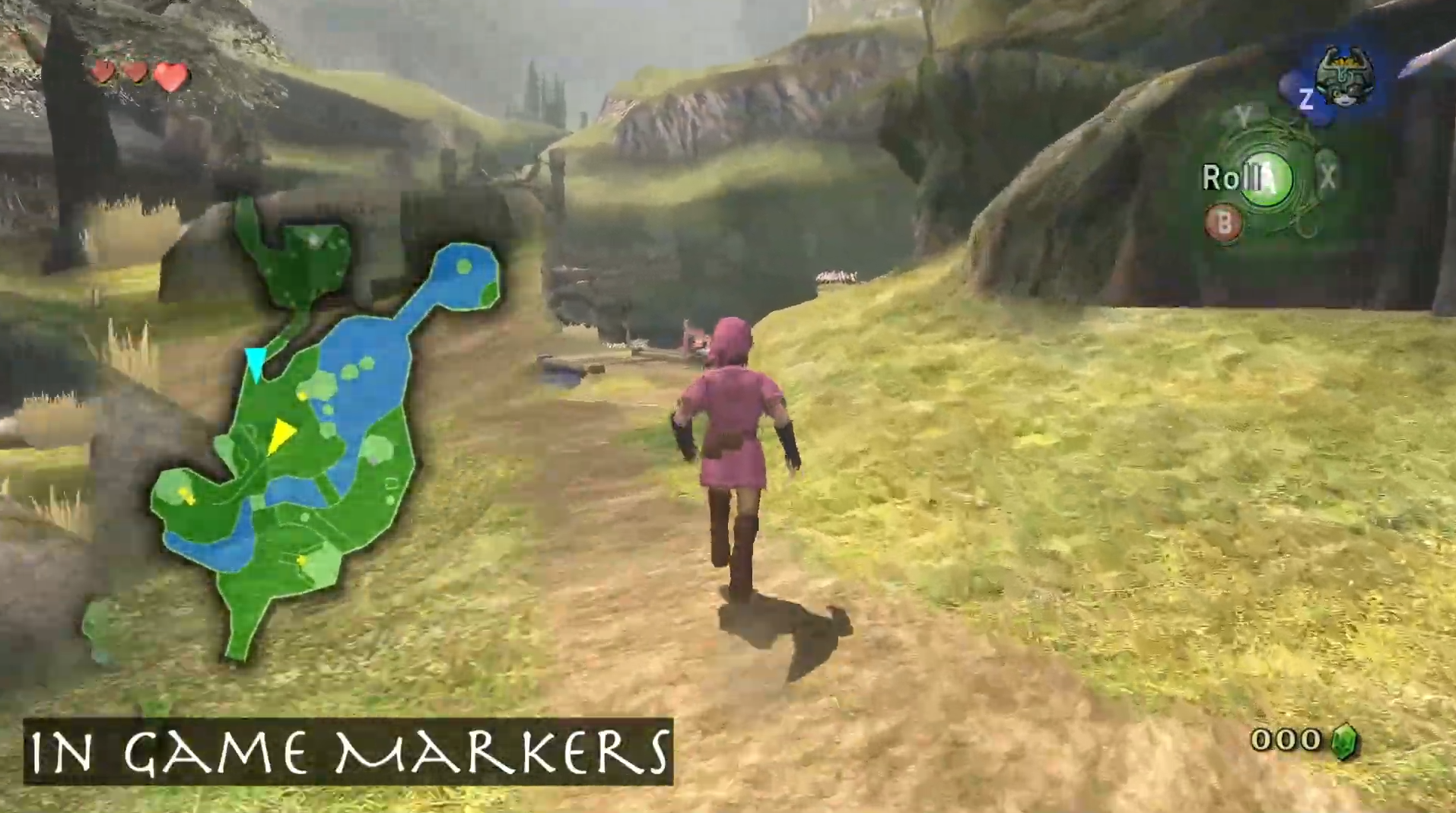
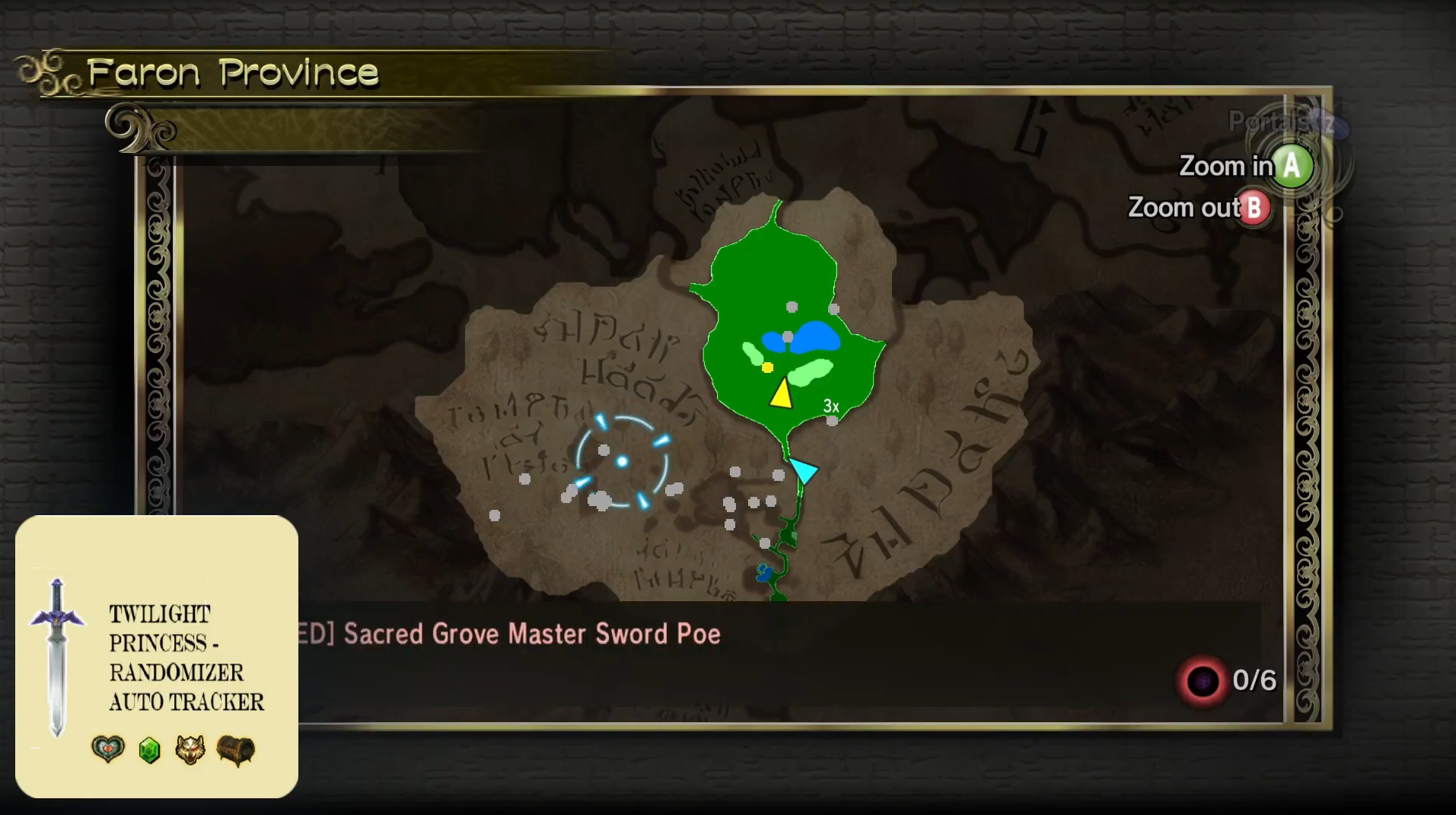
- In-Game Map and minimap markers: Yellow dots indicate accessible checks; blue dots indicate hidden or free-standing rupees; grey dots indicate inaccessible checks.
- Custom icons: Supports chests, NPC rewards, Shops, Golden Bugs, Poe Souls, Golden Wolves, Owl Statue Sky Characters, Grottos, Hidden Rupees, and Free-Standing Rupees.
- Grouped locations: Interiors with multiple checks share a marker, with available and remaining check counts. Completed markers disappear.
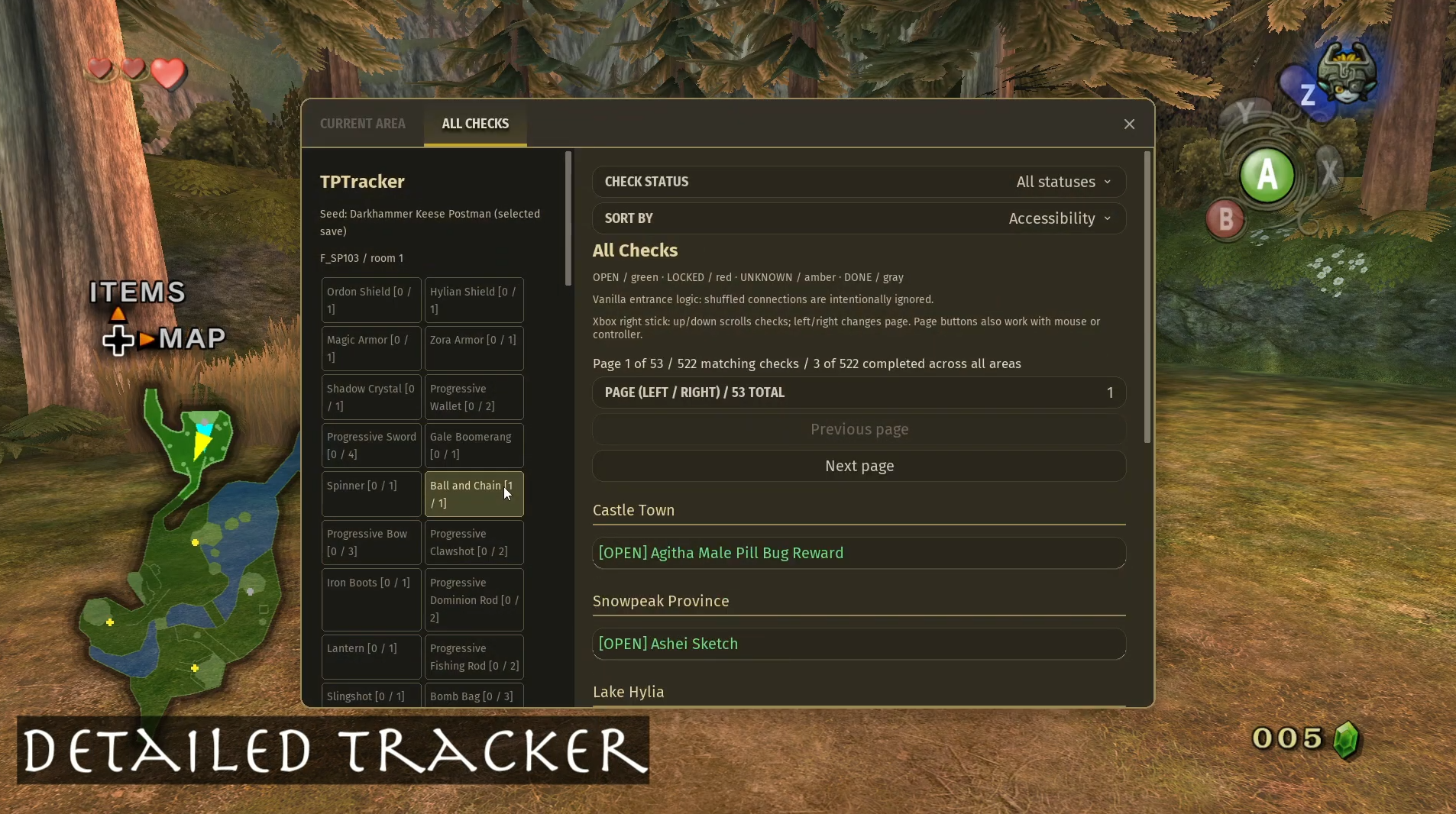
- Current Area and All Checks GUI: Browse checks with accessibility or alphabetical sorting, status filters, and pagination.
- Inventory display: See your current item quantities and maximum upgrade levels.
- Controller navigation: Use the right stick to navigate check rows and change pages.
- Optional shortcuts: Assign a keyboard key or controller button to toggle TPTracker.
- Customizable filters: Toggle individual check categories separately for the map and minimap.
- Built-in menu access: Open TPTracker directly from Dusklight’s top menu.
DISCLAIMER: Twilit Bug markers are left to the game’s native tracking. There could still be errors/bugs. AI was utilized for assistance on the code and logic set up, some icons were used from Henriko's 4K HD Texture pack.
Screenshots
Dependencies
Dusklight
v2.0.0+
Changelog
v0.4.44 10/17/2026
- Dungeon check-count panel: Added a panel on the right side of dungeon maps showing Accessible and Remaining checks across all floors. It follows the seed’s enabled checks and excludes completed, skipped, and hint-signs.
- Use Dungeon map: Show check counts to show or hide it; your preference persists across restarts. Check Info controls remain available with the hint hidden: Separated hint rendering from map selection and removed selection behavior that could expire or be cleared by another map draw. Left-click and RT/R2 + A/Cross remain available with the hint hidden on both overworld and dungeon maps. The setting now reads Map: Show Check Info hint (visual only).
- Added a “Show hint signs” toggle to Current Area and All Checks. Turn it off to hide hint signs from that tab’s list. Matching-check counts and pagination update accordingly.
- Hint signs removed from map markers: Removed hint-sign markers from the in-game map and minimap, including Lake Hylia Hint Sign and Lanayru Spring Hint Sign—the latter is the sign named in your screenshot. Their optional tracker-list entries and read hints in Notes remain available.
v0.4.43 10/12/2026
No changelog provided.